
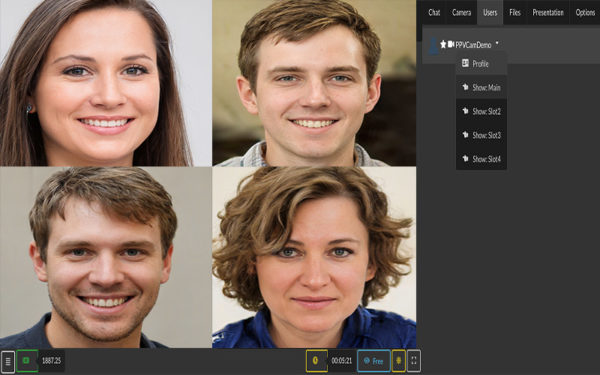
Video Conference HTML5: Split screen in multiple slots to show users that enable their webcams. Room owner (moderator) assigns users to slots and controls what everybody watches.


Video Conference HTML5: Split screen in multiple slots to show users that enable their webcams. Room owner (moderator) assigns users to slots and controls what everybody watches.
Multiple performers can do a joint session in a webcam room with multiple performers that share earnings, using HTML5 Videochat interface.
This is usually done when a performer invites another performer (guest performer) at their physical location and starts streaming.
But host can also use virtual presence tools like video conference mode (where they join as participants and host assigns them to video slots in split screen), or by streaming with other apps like OBS and using picture and picture, audio calls (usually on e-learning/tutoring sites) to include other people in own stream.
The web based video conferencing solution uses WebRTC (low latency but less scalable and professional) while RTMP to HLS (with OBS or other app) is more scalable and enables a professional composition.
Streaming is done by host performer in own room and earnings are shared with all checked in performers.
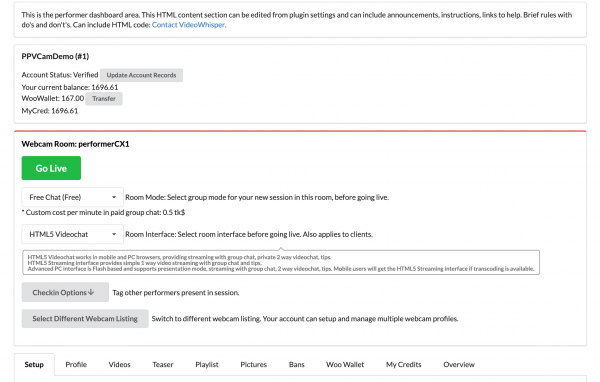
In a multi-performer show, the room host checks in every performer participating in that session. Paid group-show earnings are split equally among all checked-in performers after the site’s configured performer earning ratio is applied. Administrators can also choose whether tips and gifts are shared: when enabled, each checked-in performer receives an equal portion of the performer share of every gift; when disabled, the room host receives the entire performer share.
Choose which optional purposes you allow. Necessary storage is always active.